
Scheduling and Check-In
Scheduling That Does It All
Imagine starting your day with a clear, color-coded schedule; patients checking in digitally; appointments magically lining up; and a front desk that runs itself. That’s the all-in-one power of our scheduling system, integrated with check-in, subjective forms, and table calling—and it all happens seamlessly in one place.
“Smooth Start For You & Your Patients”

Digital Arrival
Patients scan RFID cards or sign in on a tablet. The system updates their arrival status in real time—no repeated questions or messy sign-in sheets.
- Family/Group Check-Ins: Arrive multiple family members at once
- Less Waiting, More Care: Reduce congestion at the reception area
- Live Status Updates: Monitor who’s arrived and who’s still on the way

Subjective Questions
Returning patients fill out brief daily updates; new patients complete intake forms on a kiosk. Everything auto-saves to their profile so your staff sees critical notes immediately.
- Customizable Questions: Tailor prompts for each appointment type
- Real-Time Sync: Answers populate the patient’s digital chart immediately
- Improved Documentation: Track progress, symptoms, or concerns over time
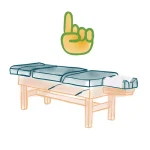
Room & Table Calling
As soon as someone arrives, your system can call them to the right room or table—visually or over an intercom—so the next step in their visit is seamless.
- Automated Queue: Know exactly who’s waiting and which room is open
- Audio/Visual Prompts: Alert patients via screen displays or PA announcements
- Smooth Clinic Flow: Keep the schedule on track and reduce idle wait times
“Glancing at the Day’s Schedule”
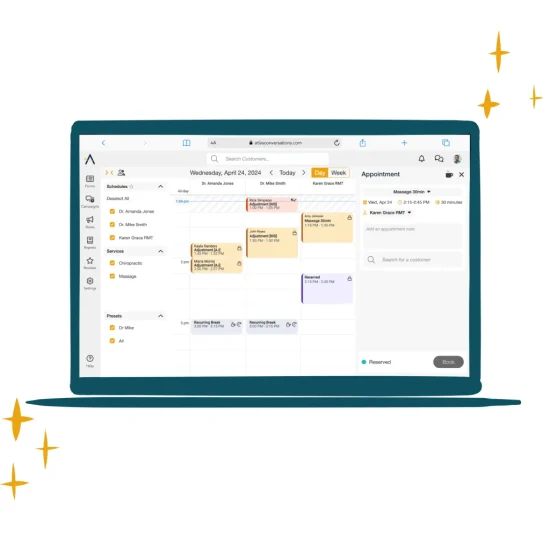
Effortlessly manage and review your entire day (or week) with a single click. Color-coded appointments, easy drag-and-drop rescheduling, and bulk mapping make it simple to stay organized, no matter how busy things get.
- One-Click Day/Week Toggle: Quickly see a full week at a glance or focus on a single day
- Color-Coded Layout: Spot appointment types, providers, or special blocks instantly
- Bulk Moves & Recurring Visits: Shift multiple appointments or schedule repeat sessions without re-entering data
“Pit Stops & Personalized Alerts”
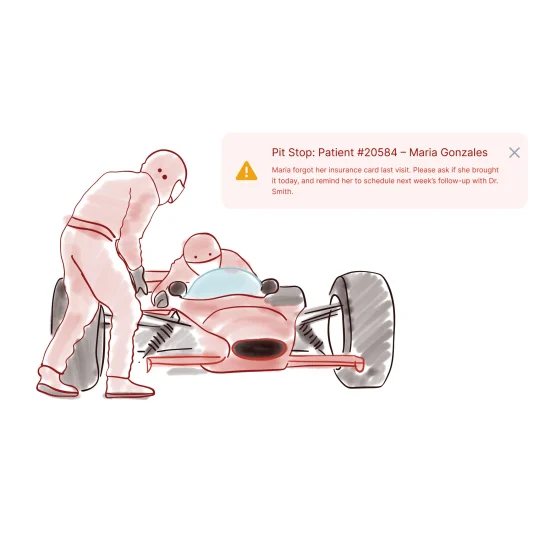
“Never let important details slip through the cracks. Whether it’s a reminder to discuss a missed payment or a note about a personal item left behind, Pit Stops pop up at just the right moment—on the front-desk screen or even on the patient’s kiosk.”
- Front-Desk Reminders: Alerts staff whenever a returning patient checks in.
- Patient Notifications: Optionally display certain messages on the kiosk for patient awareness.
- Fully Customizable: Tailor each Pit Stop based on appointment type, staff notes, or special events.

“Plan the Entire Care Journey at Once”
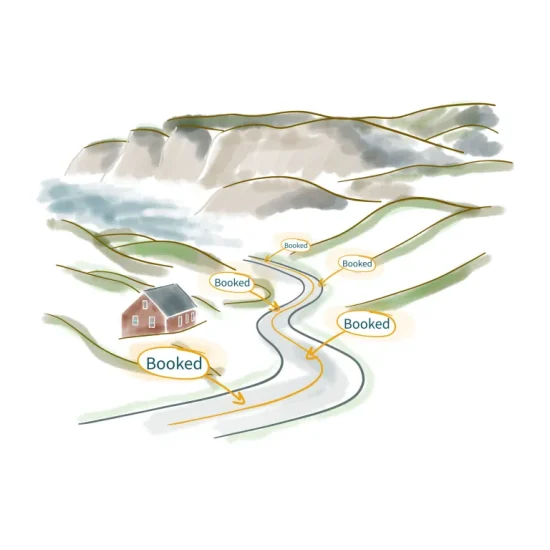
“Schedule weeks or months of appointments in just a few clicks. Whether you need 3 visits a week for 6 weeks or a periodic re-exam after every 12 visits, our care plan mapping tools save time and keep patients on track.”
- Bulk Scheduling: Map out multiple visits without manually creating each one.
- Auto-Inserted Exams: Easily drop in progress checks at set intervals (e.g., after every 12 adjustments).
- Flexible Shifts: If a patient’s schedule changes, move the entire plan at once—no re-entry required.

“Beyond One-on-One: Classes & Groups”
“Host workshops, group therapy sessions, or family appointments in a single time slot. Our scheduling system seamlessly checks in multiple participants, tracks each arrival, and prevents over-booking.”
- Set Capacity: Define how many participants can join a class.
- Group Check-Ins: Each attendee’s status is tracked, so you know who’s arrived or still pending.
- Family Bookings: Schedule multiple family members at once without juggling separate appointment windows.
Manage Multiple Locations,
Users Permissions & Key Insights
Beyond scheduling, check-ins, and classes,
Atlas provides the administrative controls and insights you need to run a seamless clinic,
whether you operate one practice or manage multiple locations.
Digital Arrival
- Oversee multiple clinics in a single platform.
- Easily switch between locations to view each site’s appointments, staff schedules, and patient records—all under one login.
- Maintain consistency across offices while allowing each location its unique hours, providers, and services.
User Permissions & Security
- Assign different access levels to staff—front-desk, providers, managers—ensuring each role sees only what’s relevant.
- Protect sensitive data by restricting financial or clinical details to authorized personnel.
- Automated audit trails track key changes for accountability and help maintain privacy compliance.
Reporting & Analytics
- Pull up day sheets, missed appointment lists, and basic revenue breakdowns to stay on top of daily operations.
- Monitor no-shows, staff productivity, or service usage for deeper insights—no extra software required.
- Use these built-in reports to spot trends, optimize scheduling, and guide practice growth.
Learn about our Online Booking and how it can help you.
Learn MoreWe’re Atlas “born and raised in Northern Ontario, Canada 🇨🇦” and we’ve been expanding our presence nationwide and globally ever since. Our story started back in 2004, when a single chiropractic office couldn’t find software that met its needs. So we built one ourselves, weaving together scheduling, notes, check-ins, and patient education. Turns out, we weren’t the only ones looking for a better way - another office saw our innovative paperless system and asked to use it. That was all it took. The first employee was hired, Atlas Software was born, and the rest is history!
Today, we have thousands of users in more than 27 countries, and we’re still growing. Our success lies in our Canadian knack for genuine service and the good faith of our customers, who we love to support. Along the way, we’ve kept true to our core values!