Kiosk Check‑In & Digital Arrivals
Tap in with a card, finish today’s note at the kiosk, get called straight to the right room—no clipboards, no shouting names.

What patients do at check‑in
Simple steps that keep arrivals moving.
- Tap to arrive: Patient taps their RFID card on the scanner; Atlas opens the correct visit and marks Arrived.
- Pick the right person: For shared cards or families, a quick chooser ensures the right member is checked in.
- Type today’s subjective: On the kiosk, patients enter how they’re feeling (subjective summary, quick scales/flags).
- Sign anything due: Any required consents appear and are e‑signed in seconds.
- Get called by the screen: The calling screen shows when it’s their turn and which room to head to.
- Move to Ready/Roomed: Staff see status change in real time—no shouting names across the lobby.

Step 1: RFID Tap
Patients type a concise “today” note—symptoms, pain level, quick flags.
Short body: Fields are clear and short; Form Memory resumes anything unfinished without re‑typing.
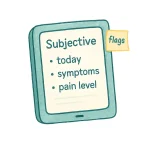
Step 2: Subjective on the Kiosk
Patients type a concise “today” note—symptoms, pain level, quick flags.
Short body: Fields are clear and short; Form Memory resumes anything unfinished without re‑typing.

Step 3: Due Items & E‑Sign
Only what’s due shows—consents, updates, quick scales—and it’s all signed on the kiosk. Submissions attach to the visit automatically so providers have context before the call.
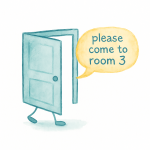
Step 4: Calling Screen → Room
When it’s time, the calling screen updates and shows where to go.
Patients see their turn and room assignment at a glance; status flips to Roomed when they’re in.
FAQs
No—RFID tap or name/DOB at the kiosk works; the app is optional.
Yes—choose the member at check‑in; shared details carry over automatically.
Use the name + DOB lookup on the kiosk or let staff start the flow.
Yes—use a room/initials style call; the screen shows turn + room without full names.
Staff can hand a second tablet or send a link to the patient’s phone; the flow resumes in place.
Yes—set the fields and scales you want patients to complete before rooming.
Learn about our Online Booking and how it can help you.
Learn MoreWe’re Atlas “born and raised in Northern Ontario, Canada 🇨🇦” and we’ve been expanding our presence nationwide and globally ever since. Our story started back in 2004, when a single chiropractic office couldn’t find software that met its needs. So we built one ourselves, weaving together scheduling, notes, check-ins, and patient education. Turns out, we weren’t the only ones looking for a better way - another office saw our innovative paperless system and asked to use it. That was all it took. The first employee was hired, Atlas Software was born, and the rest is history!
Today, we have thousands of users in more than 27 countries, and we’re still growing. Our success lies in our Canadian knack for genuine service and the good faith of our customers, who we love to support. Along the way, we’ve kept true to our core values!