Family & Pediatric Workflows
Make it easy for one parent to manage the whole family—booking, forms, check‑in, reminders, and payments—without your front desk juggling profiles.

Built for family‑focused clinics
One family, one workflow, all the way from booking to billing.
- Family accounts & linking – Group patients into families so one “head of family” anchors appointments, billing, and shared details.
- Family / group check‑in – Check multiple family members in at once on the kiosk and capture subjective for each kid in one pass.
- Shared care & payments – Families can map visits together, share a financial or care plan, and pay for everyone from one account.
- Parent‑friendly portal & app – Parents see and manage their own and their kids’ bookings, forms, and reminders from one place.
A three‑person family checked in separately means 3 visits to the front desk. Even at just 2–3 minutes each, that’s 6–9 minutes. With grouped family check‑in it’s one 2–3 minute flow, saving several minutes every visit.
Online Booking for more than one person
Parents don’t have to repeat the same steps for every child.
- Family linking lets you assign a head of family and add kids/spouse under them so everyone is connected.
- From the portal or Patient App, a parent can switch family members and book, reschedule, or cancel for each one.
- Multi‑appointment tools let you map series of visits and keep the whole family on a steady schedule.

Forms and check‑in that understand families
One stop at the kiosk, everyone’s ready to be seen.
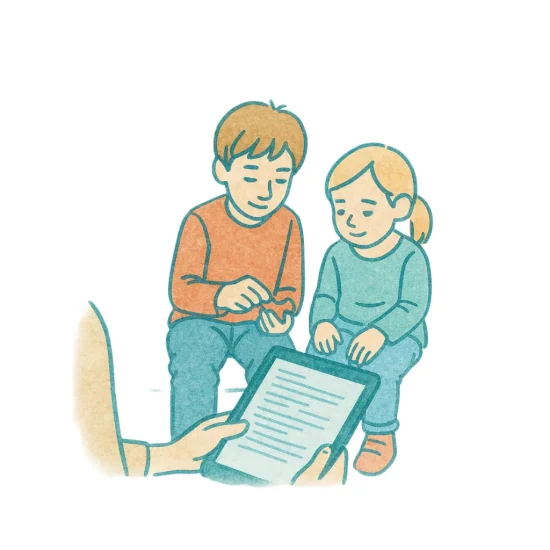
- Family / Group Check‑In on the kiosk: select all family members that arrived together and check them in in one flow.
- Ask subjective questions per family member at sign‑in (e.g., how each child is feeling today); answers show on the provider’s screen.
- Online forms can be sent ahead for each child; parents complete them from home and finish anything missing on a tablet in‑clinic using Form Memory, instead of starting over.
Reminders and messages that follow the right person
You decide who gets notified—and how.
- The Family tab lets you manage which family members are linked and how communications should behave.
- Appointment reminders can go to the parent, the child, or both, depending on preferences set for that family.
- Parents can see their own and their kids’ appointments and forms in the portal and can reschedule or cancel if you allow it.
- Review requests and follow‑ups are sent to the right contact person for the family, not scattered across accounts.


One family, one plan, one bill
Treat families like families—not like four unrelated accounts.
- Linked families can share a financial care plan so payments and visit tracking happen in one place.
- You can see and manage family appointments together, and even call families together to the same room if you’re using calling/room assignment tools.
- With shared demographics shortcuts, you copy address/phone from parent to kids once instead of re‑typing every time.
How family clinics put this to work
A few ways clinics use Atlas with parents and kids.
- After‑school rush: One parent checks in two kids at the kiosk, answers quick subjective questions for each, and sees which room to go to when it’s their turn.
- New‑patient families: Online booking + forms means all intake is done before they arrive; you just greet, scan, and start care.
- Shared care plans: Parents know exactly where the kids are in their care plan and can keep everyone on track without asking the front desk.
FAQs
Yes—family linking lets a parent view and manage their own and their family’s appointments from one place.
Yes—Family / Group Check‑In lets you check multiple members in together and even collect subjective answers per person at the kiosk.
You choose. The family settings allow reminders to go to the parent, the patient, or both, depending on your workflow.
Yes—linked families can share plans and payments so you aren’t chasing separate balances for each kid.
No—parents can toggle between family members in the portal or app instead of juggling multiple logins.
Learn about our Online Booking and how it can help you.
Learn MoreWe’re Atlas “born and raised in Northern Ontario, Canada 🇨🇦” and we’ve been expanding our presence nationwide and globally ever since. Our story started back in 2004, when a single chiropractic office couldn’t find software that met its needs. So we built one ourselves, weaving together scheduling, notes, check-ins, and patient education. Turns out, we weren’t the only ones looking for a better way - another office saw our innovative paperless system and asked to use it. That was all it took. The first employee was hired, Atlas Software was born, and the rest is history!
Today, we have thousands of users in more than 27 countries, and we’re still growing. Our success lies in our Canadian knack for genuine service and the good faith of our customers, who we love to support. Along the way, we’ve kept true to our core values!